Run Your Restaurant From One Connected System.
A centralized restaurant management platform built to bring orders, kitchen operations, delivery, inventory, customers, branches, staff, and business performance together in one place.
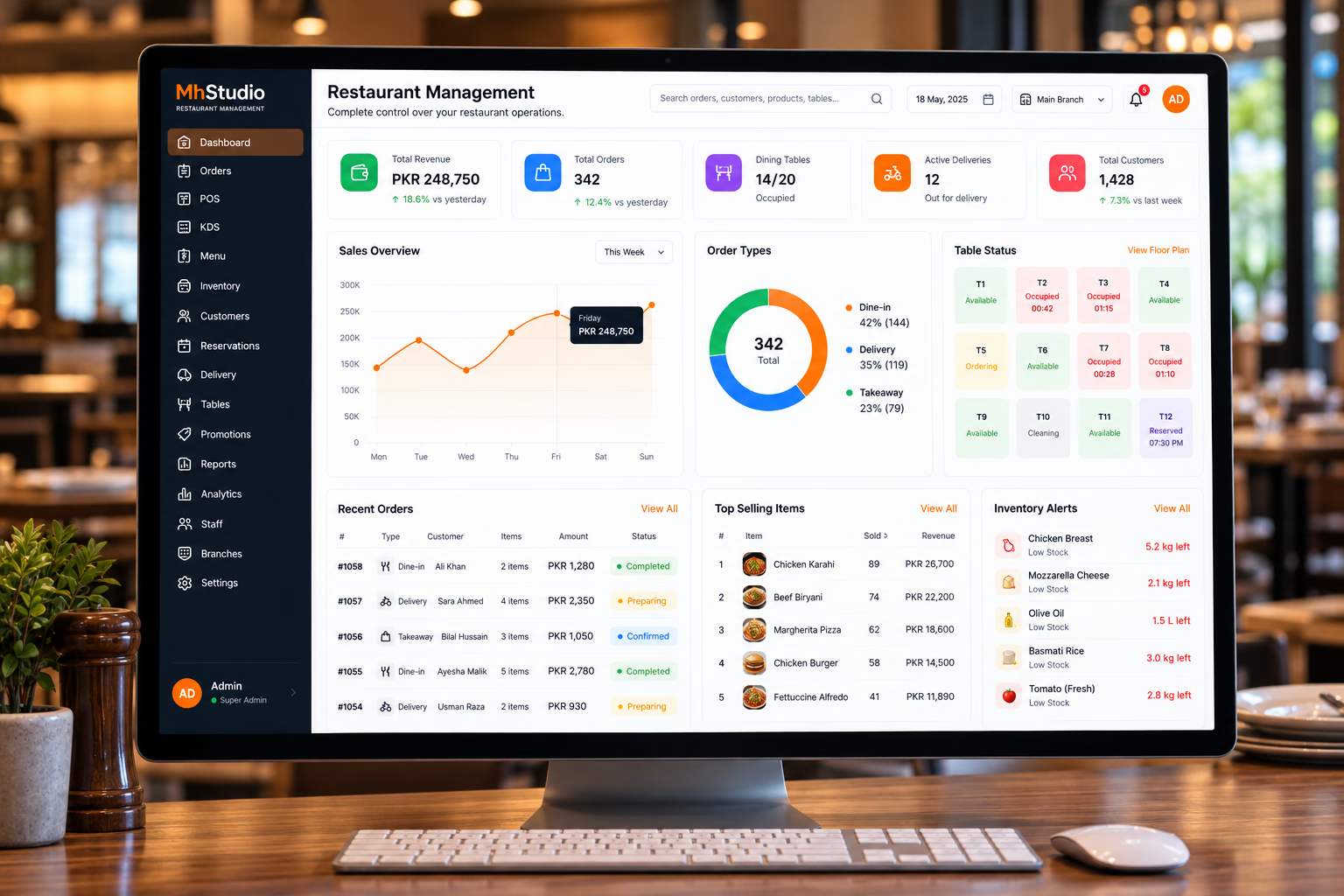
Everything Your Restaurant Needs to Manage — In One Place.
Running a restaurant means managing dozens of moving parts at the same time. Orders arrive from different channels. Kitchens need to prepare them. Riders need to deliver them. Inventory needs to stay stocked. Staff need the right access. Customers need support. Owners need to understand what is happening across the business.
An RMS brings these workflows together into one centralized system. Instead of switching between disconnected tools, your team gets one place to manage operations and your business gets one source of operational data.
Orders
Manage dine-in, takeaway, and delivery orders from one central system.
Operations
Connect front-of-house, kitchen, delivery, and management workflows.
Customers
Understand customer activity, order history, spending, and engagement.
Business
Monitor sales, products, branches, and operational performance.
Disconnected Tools Create Disconnected Operations.
A restaurant may have one system for orders, another for POS, another for delivery, spreadsheets for inventory, separate customer records, and manual reporting. The problem isn't simply having multiple tools. The problem is that the information between them often doesn't move together.
Manual Work
Staff spend time transferring information between systems, messages, spreadsheets, and devices.
Limited Visibility
Owners and managers may not have a complete view of what is happening across the restaurant.
Operational Gaps
When orders, kitchen, delivery, inventory, and customer information are disconnected, mistakes and delays become harder to identify.
Every Order. One Central Workflow.
Orders can come from different customer and staff channels, but your restaurant shouldn't have to manage them as completely separate processes.
The RMS provides a centralized order view where your team can manage orders from different sources while keeping the fulfillment workflow clear.
Dine-In
Orders associated with restaurant tables and dine-in service.
Takeaway
Pickup orders created through online channels or POS.
Delivery
Orders that require customer address, dispatch, and fulfillment.
Move Orders From Customer to Completion Without Losing the Thread.
The RMS connects the major stages of restaurant fulfillment so teams can see where an order is and what needs to happen next.
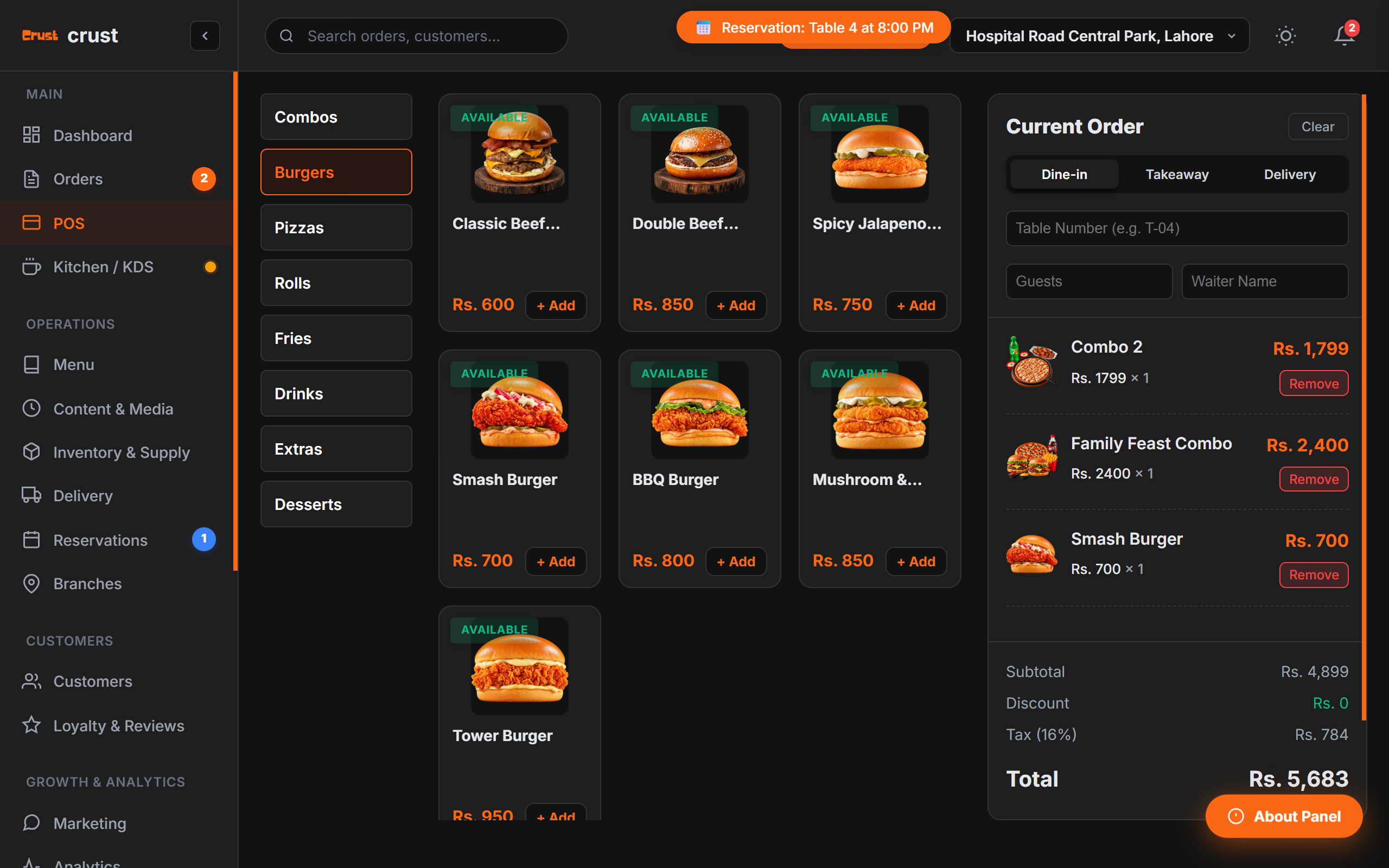
Front-of-House Orders Flow Directly Into Your Operations.
Your POS can become part of the same restaurant ecosystem instead of operating as an isolated billing system.
- Dine-in orders
- Takeaway orders
- Delivery orders
- Tables
- Customers
- Items
- Discounts
- Bills & Payments
Keep the Kitchen Connected to Every Order.
Orders created through your restaurant's digital and in-store channels can flow into the kitchen workflow. The KDS organizes incoming orders and gives kitchen staff a clear view of what needs to be prepared.
From Ready Order to Delivered Customer.
Manage delivery information, assignments, statuses, zones, riders, and fulfillment from one operational layer.
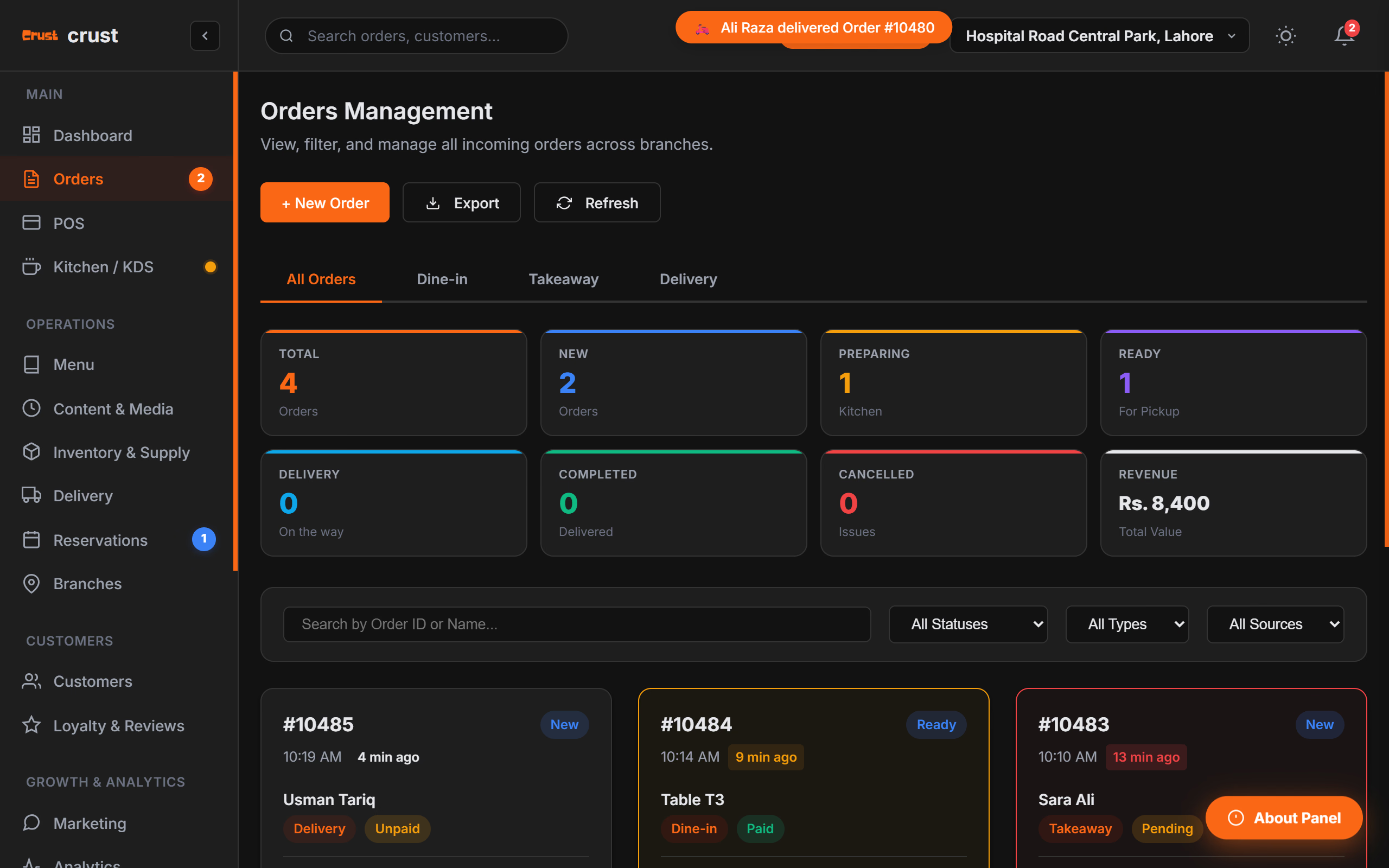
Know What You Have Before You Run Out.
Connect operational activity with inventory management so restaurant teams can keep track of ingredients, stock levels, and purchasing.
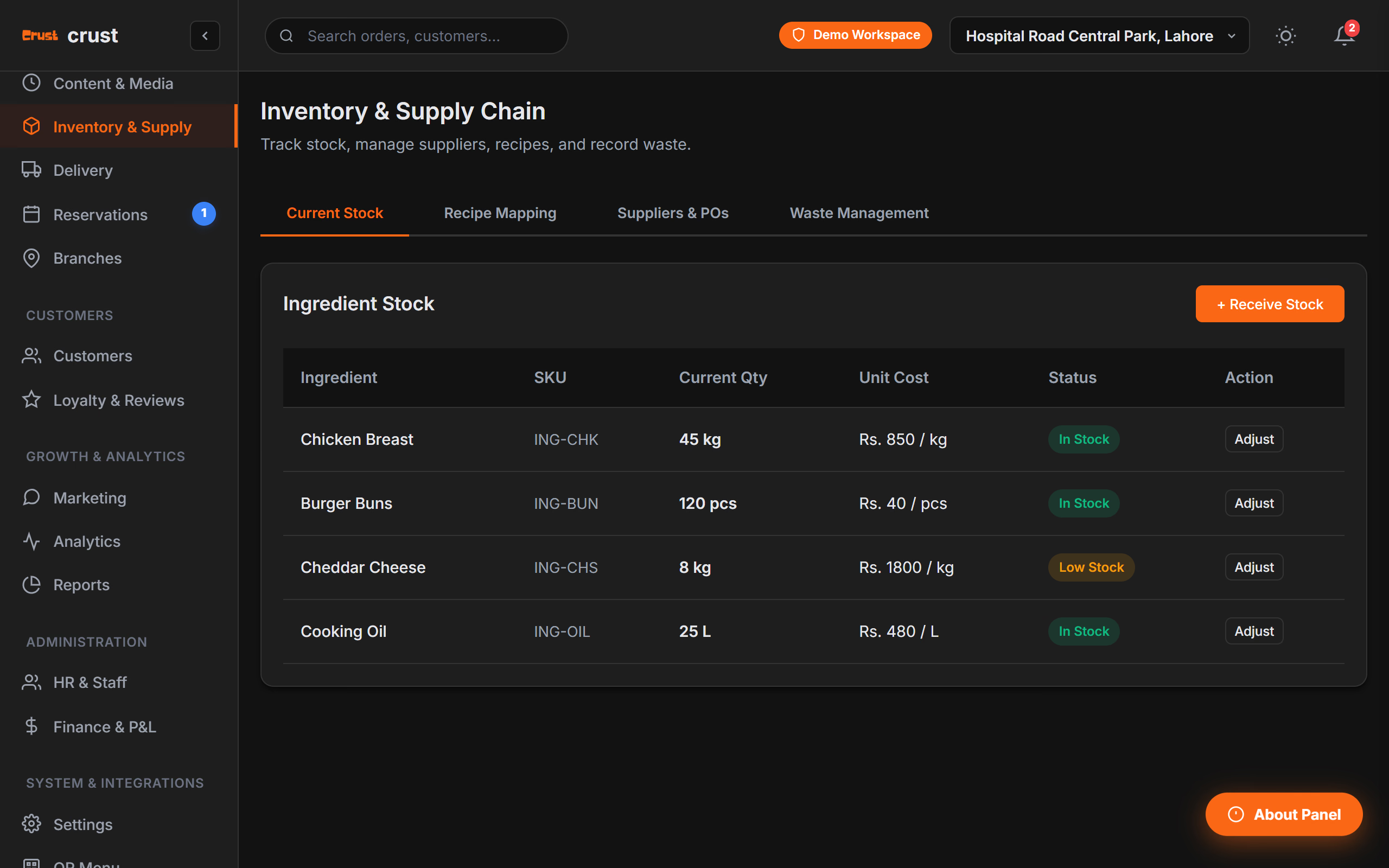
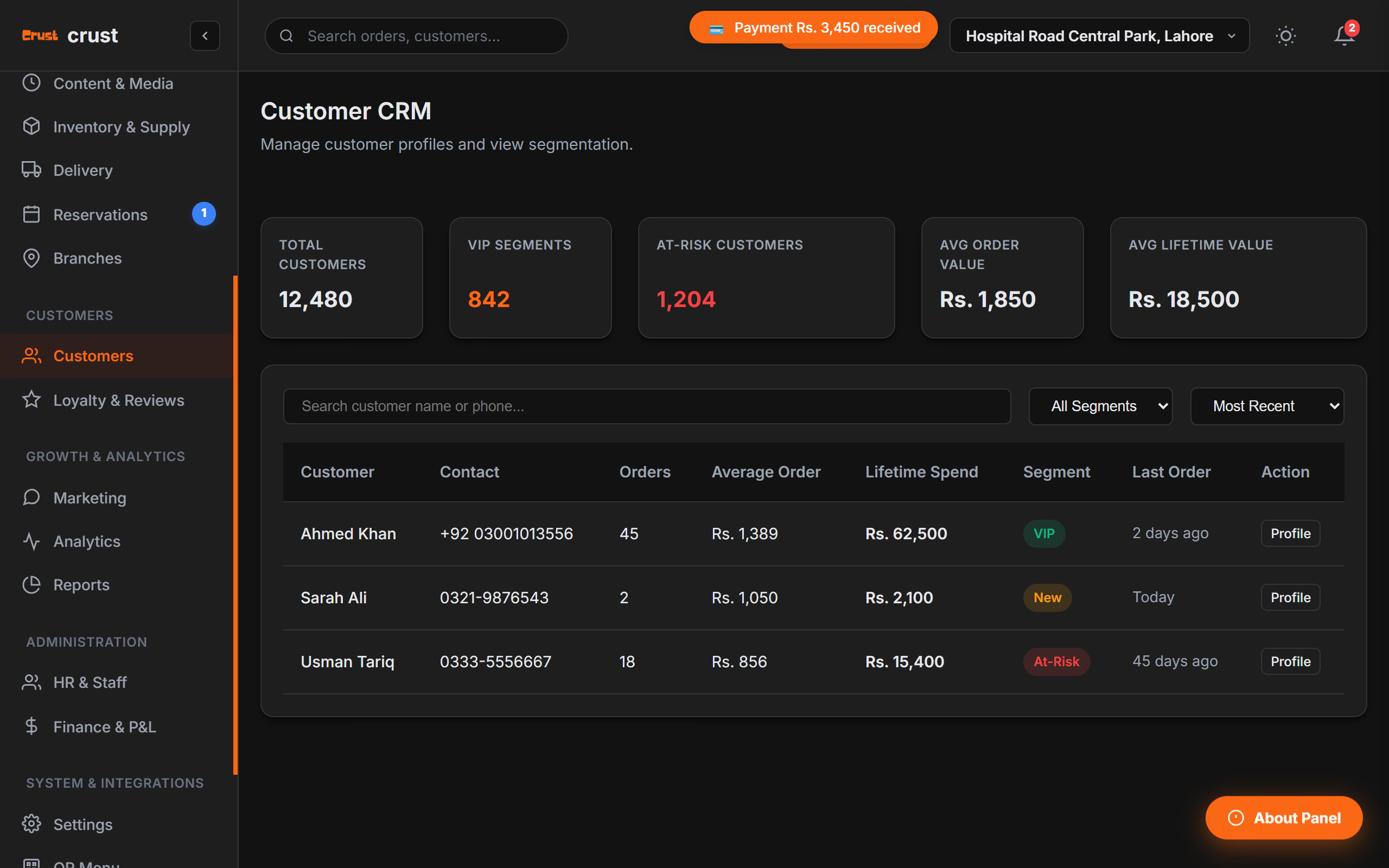
Turn Orders Into Customer Intelligence.
The RMS can organize customer profiles and order activity so restaurants can understand who their customers are, what they order, and how much they spend.
Manage Every Branch From One Place.
A multi-branch RMS gives management a centralized view while still allowing each branch to operate with its own local information.
Turn Restaurant Activity Into Better Decisions.
An RMS should not only record what happened. It should help restaurant owners understand why it happened and where the business is performing well or needs attention.
Sales
Revenue, orders, AOV, growth, payment methods.
Products
Best sellers, slow movers, category performance.
Customers
New customers, repeat customers, spending, retention.
Branches
Branch comparison, peak hours, regional variations.