Let Guests Browse, Order, and Customize From Their Own Phones.
Turn every restaurant table into a self-service ordering point. Guests can scan, browse your menu, customize items, and place orders directly to your restaurant's connected systems.
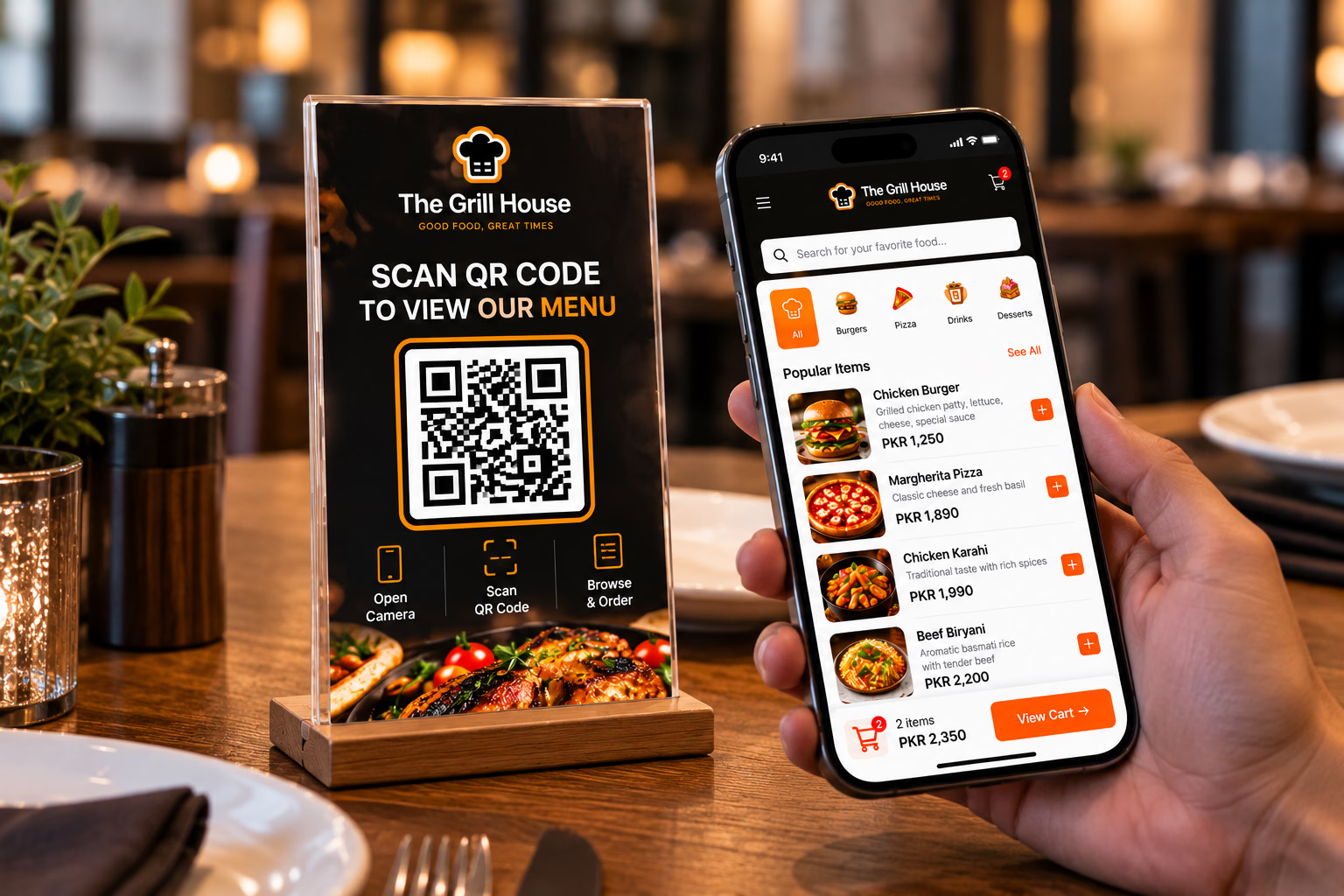
When Ordering Depends Entirely on Staff, Every Table Can Become a Bottleneck.
Traditional dine-in ordering creates waiting, repeated communication, and pressure on service staff. With QR self-ordering, customers access your digital menu instantly and place orders directly from their table.
Remove Unnecessary Friction.
QR self-ordering does not replace your staff. It removes the friction from the ordering process, allowing your team to focus on hospitality and service rather than writing down orders.
Scan
Guests scan the unique QR code at their table.
Browse
They explore your menu, images, descriptions, and prices.
Order
They customize their food and submit the order directly.
Every Table Has Its Own QR Code.
When a guest scans, the system automatically identifies the branch and table. Customers never need to manually enter their table number.
Give Guests Control Over Their Order.
Restaurants have products that require customization. Support sizes, variants, add-ons, modifiers, and special instructions directly on the customer's phone.
Only Show What They Can Actually Order.
Control product availability instantly. Mark items as "Sold Out" or configure time-based availability (e.g., breakfast menu) to prevent ordering unavailable items.
From the Guest's Phone Straight to the Kitchen and POS.
QR orders do not live in a separate system. They enter the exact same operational flow as orders created by a waiter.
Multiple Orders Supported
Customers can place additional orders from the same table. The system associates subsequent orders with the active dining session without creating duplicate checks.
What the Restaurant Gets.
A unified QR ordering system covering customer experience, operations, sales, and management.
Customer Experience
- Branded QR menu
- Mobile-first interface
- Product customization
- Cart & order review
Table Ordering
- Table-specific QR codes
- Auto-table identification
- Additional orders supported
- Active table sessions
Restaurant Operations
- POS connection
- KDS connection
- Table management sync
- Central order tracking
Sales & Management
- Upselling & recommendations
- Product availability control
- Multi-branch support
- Order analytics
We Don't Just Build a QR Menu. We Build the System Behind It.
A QR menu by itself is only a digital menu. MhStudio connects the experience to the restaurant's broader digital operation—POS, KDS, Orders, and Table Management—creating a unified ecosystem instead of another isolated tool.