A Faster, Smarter POS Built for Modern Restaurants.
Take dine-in, takeaway, and delivery orders, manage tables, send orders to the kitchen, process payments, and keep your restaurant operations moving from one powerful POS system.
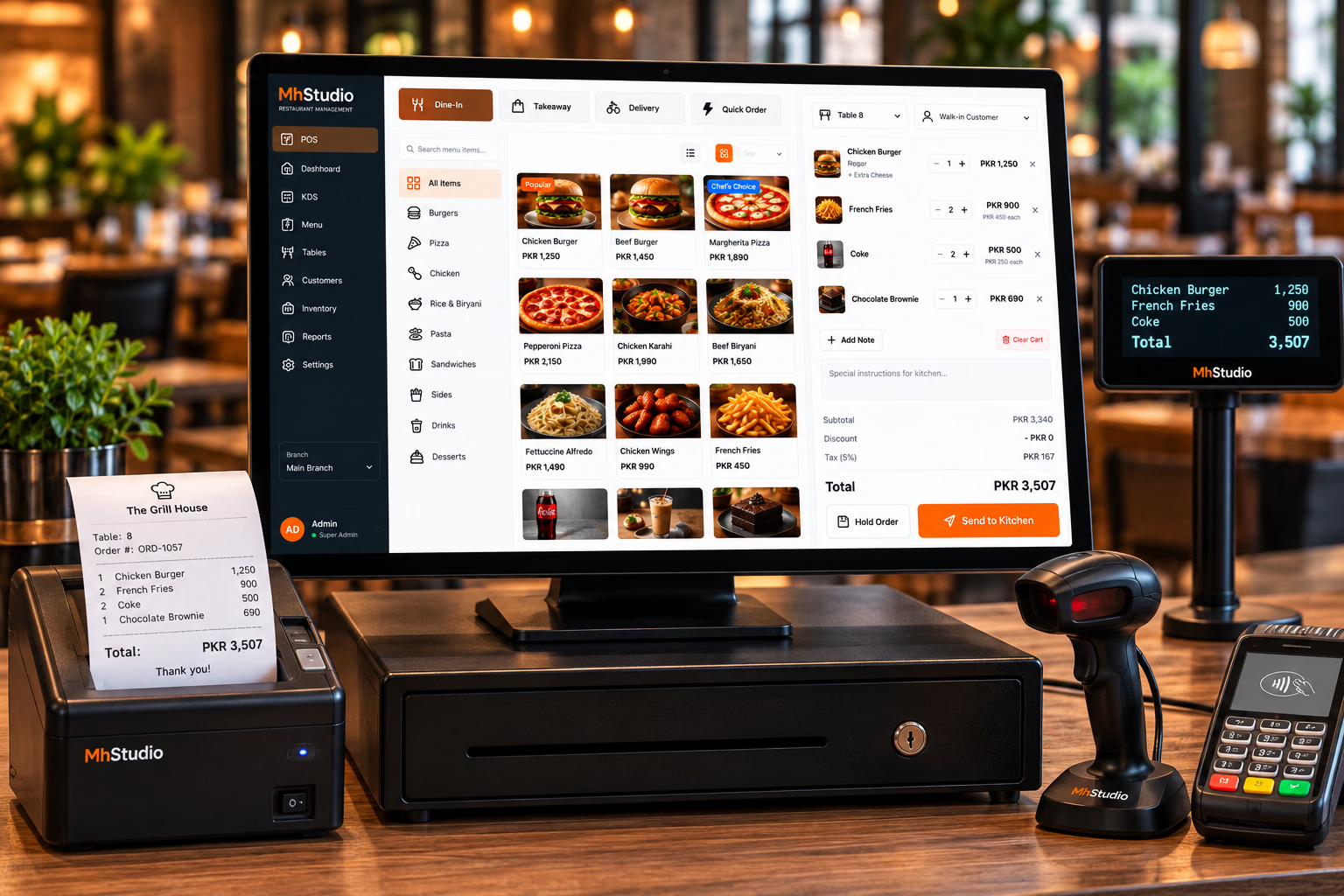
Take Orders Faster. Keep Your Team Moving.
During a busy service, your staff shouldn't have to fight with complicated software. MhStudio POS is designed around the real flow of restaurant service — from selecting a table or order type to adding items, sending them to the kitchen, managing the bill, and completing payment.
Take Orders
Create dine-in, takeaway, and delivery orders quickly.
Coordinate
Send orders to the kitchen and keep front-of-house staff aligned.
Complete
Manage bills, payments, order status, and customer information.
Your POS Shouldn't Slow Your Team Down.
During peak hours, every extra step matters. Staff need to find products quickly, customize orders, manage tables, and send kitchen tickets without losing track of the customer. A restaurant POS should make those workflows simpler — not add more complexity.
Slow Order Entry
Too many screens and unnecessary steps can make service slower.
Order Errors
Miscommunication between staff and kitchen can lead to incorrect orders.
Disconnected Billing
When ordering and payment workflows are disconnected, closing orders becomes harder.
Limited Visibility
Managers need to know what is happening at the counter and across the restaurant.
Dine-In, Takeaway, or Delivery — One POS.
Restaurants don't sell through one workflow. Your POS should adapt to the way each order is fulfilled.
Dine-In
Select a table, add items, send the order to the kitchen, manage additional items, and settle the bill when the customer is ready.
Takeaway
Create a pickup order, capture customer information when needed, send the order to the kitchen, and complete the handoff.
Delivery
Capture customer and delivery information, calculate applicable charges, send the order to the kitchen, and move it into the delivery workflow.
Find What You Need Without Searching.
Organize your restaurant's products into clear categories so staff can quickly build an order during busy service.
Handle Every Customer's Order Exactly the Way They Want It.
POS should allow staff to quickly add sizes, modifiers, extras, removals, and special instructions without creating complicated workflows.
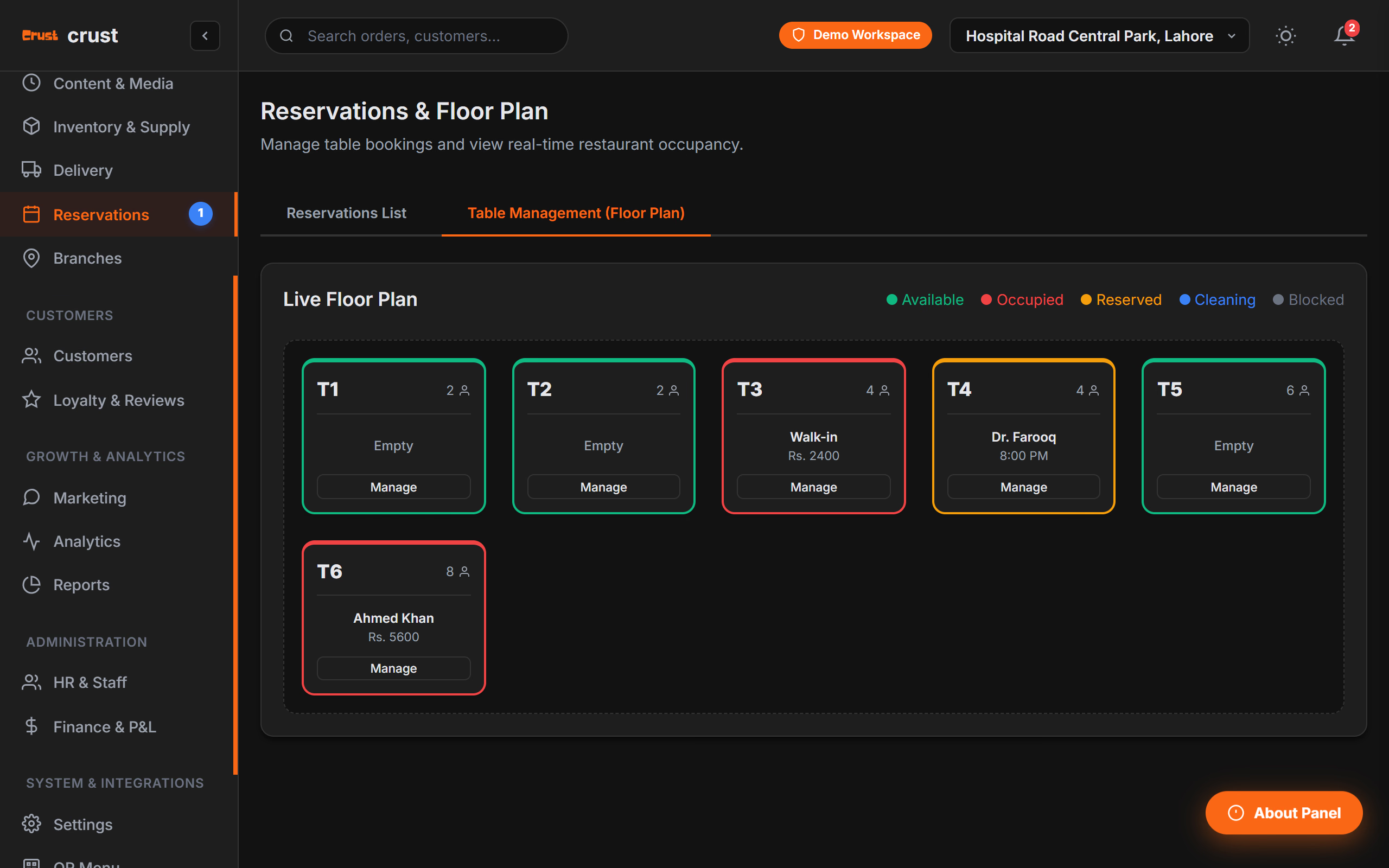
Know Which Tables Are Available, Occupied, or Ready.
Staff can see table status, open orders, guests, and active checks without losing track of where orders belong.
Send Orders Straight to the Kitchen.
Once an order is confirmed, send it directly into the kitchen workflow. The kitchen receives the information needed without handwritten notes.
Close Every Order Accurately.
Bring the order, discounts, taxes, and payment information together for a clear checkout experience, including split bills.
Everything Your Front-of-House Team Needs.
MhStudio POS handles the complete ordering workflow, giving your staff the tools to serve customers efficiently.
Order Taking
Fast order creation across dine-in, takeaway, and delivery.
Menu
Products, categories, sizes, modifiers, and availability.
Tables
Floor plans, table status, open orders, and table assignment.
Kitchen
Send orders and updates directly into KDS workflows.
Billing
Bills, discounts, taxes, charges, and checkout.
Payments
Cash, card, digital, and configured payment methods.
Customers
Profiles, contact details, and order history.
Discounts
Promotions, coupons, and controlled staff discounts.
Order Management
Hold, edit, cancel, reopen, and complete orders.
Staff
Roles, permissions, and controlled actions.
Branches
Branch-specific operations with centralized visibility.
Reports
Sales and operational reporting through the wider system.
We Design POS Around the Restaurant — Not the Other Way Around.
Restaurant staff shouldn't need to understand complicated software to take a simple order. MhStudio POS is designed around real restaurant workflows, from table service and counter ordering to kitchen coordination and checkout.
Restaurant-Specific
Built around restaurant order types, tables, menus, modifiers, KDS, and payments.
Fast
Designed to minimize unnecessary steps during busy service.
Connected
Works as part of the wider restaurant management ecosystem.